


UX UI Designer / Researcher
Role
6 months
Timeframe
Contents
01 Strategy - Problem
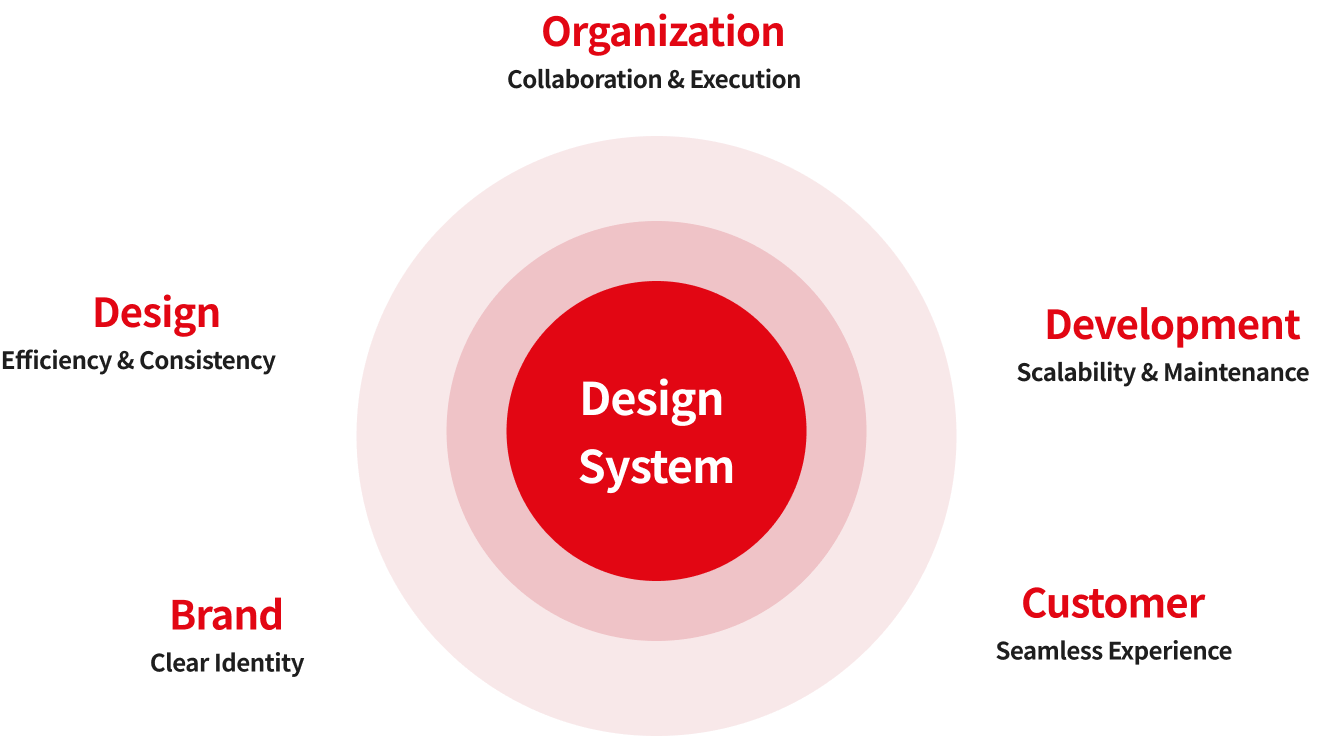
Why do we need design system?
01 Strategy - Research
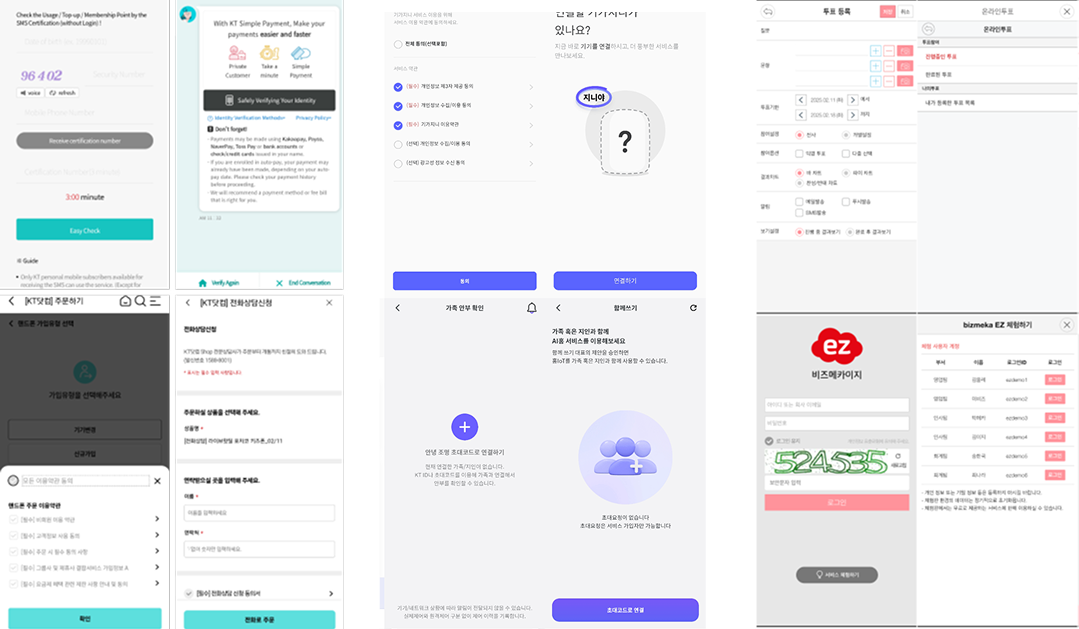
Current State Analysis
Example : Collection of UI/UX Screenshots
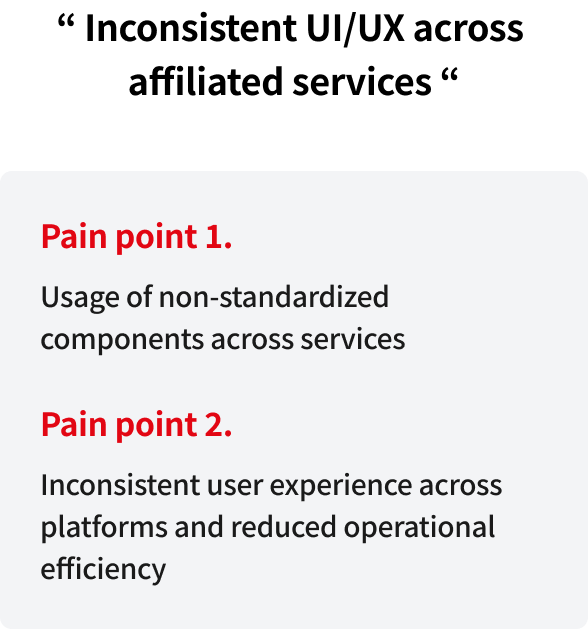
01 Strategy - Problem
Competitive Analysis
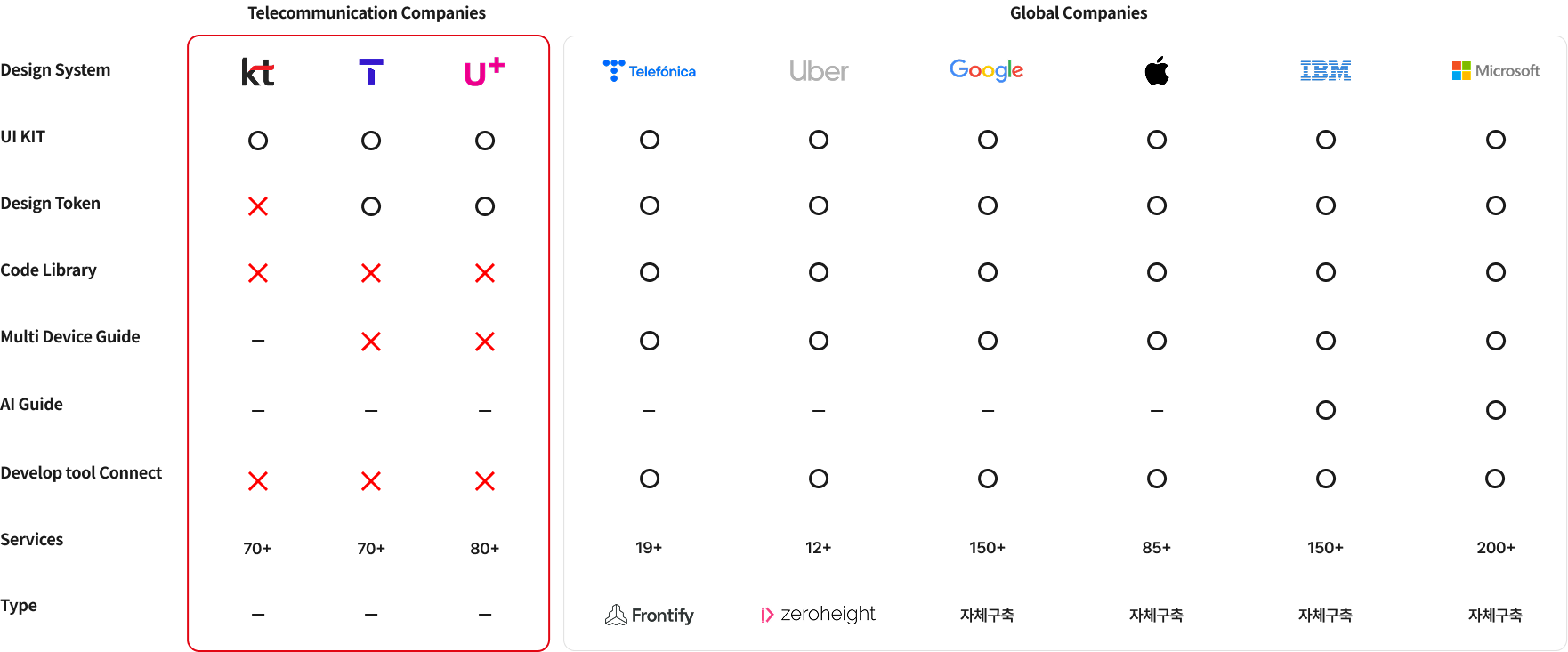
01 Strategy - Research
Interviews
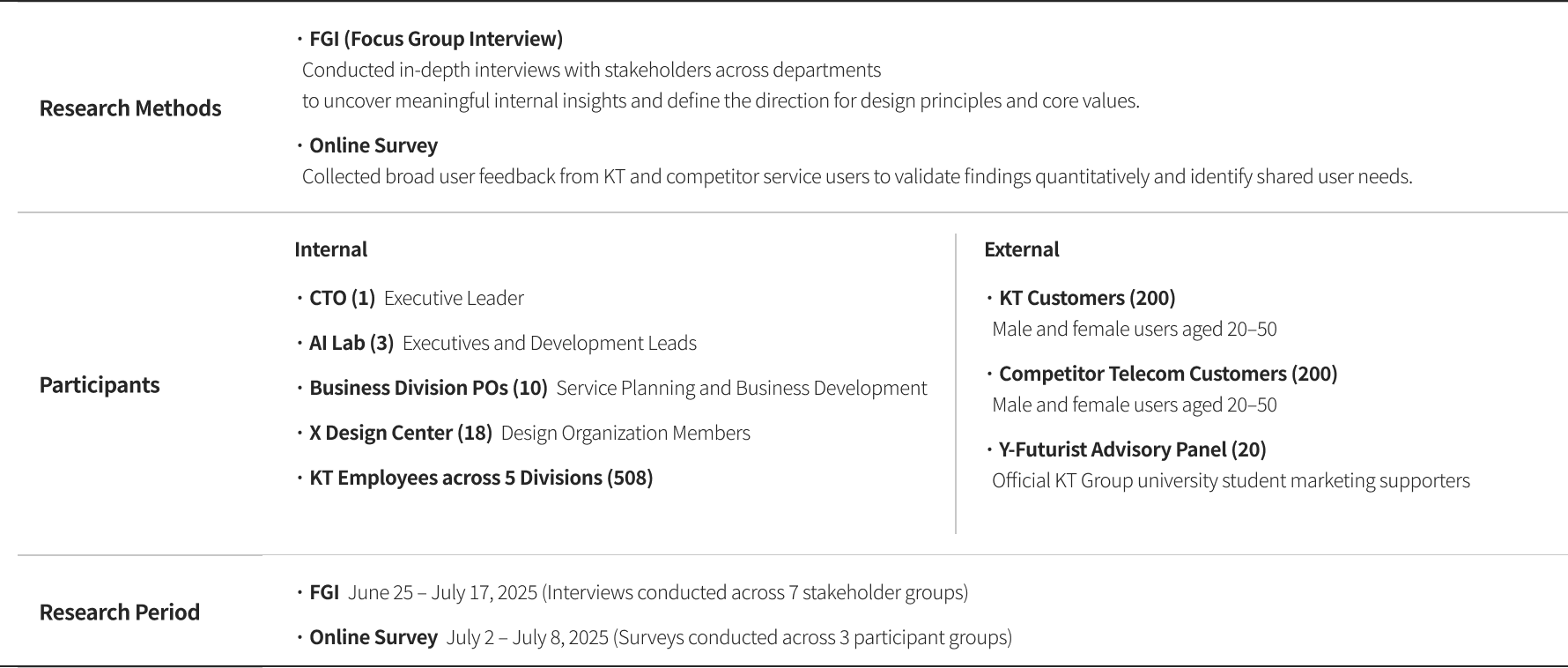
01 Strategy - Research
Interviews
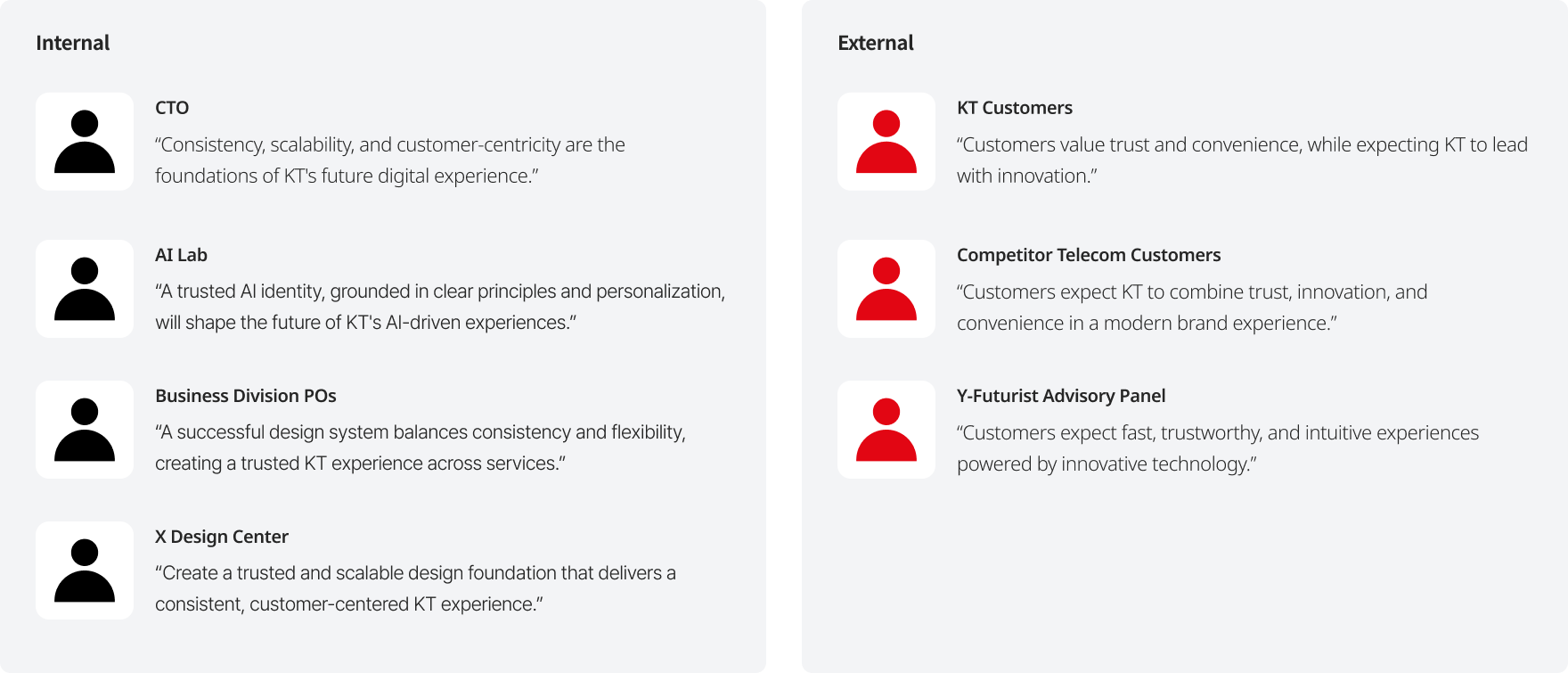
01 Strategy - Insights
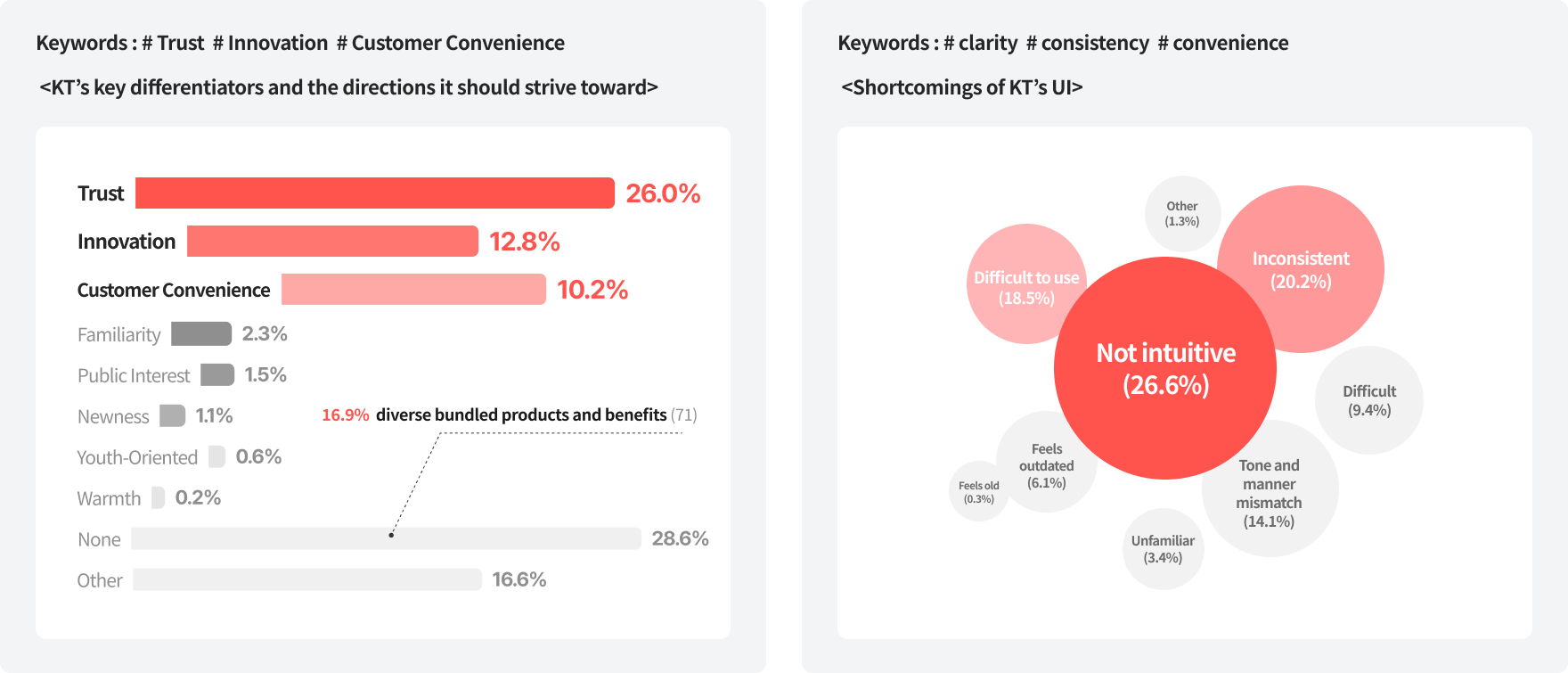
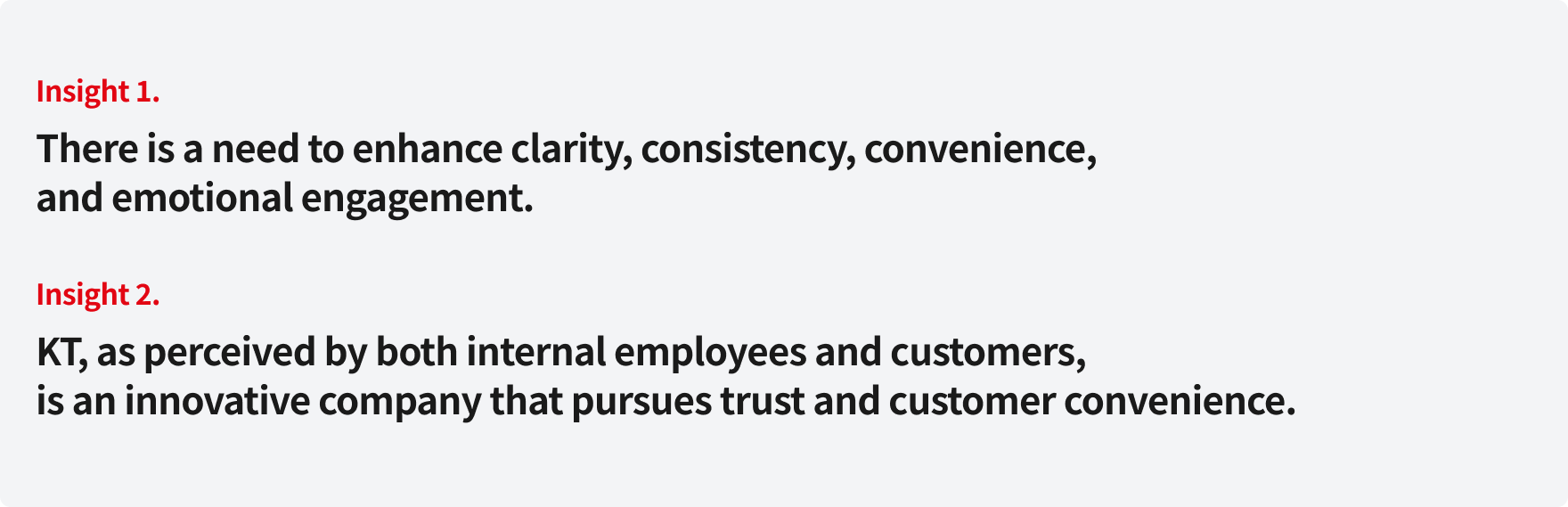
Key Insights
01 Strategy - Insights
Key Insights
01 Strategy - UX Principle
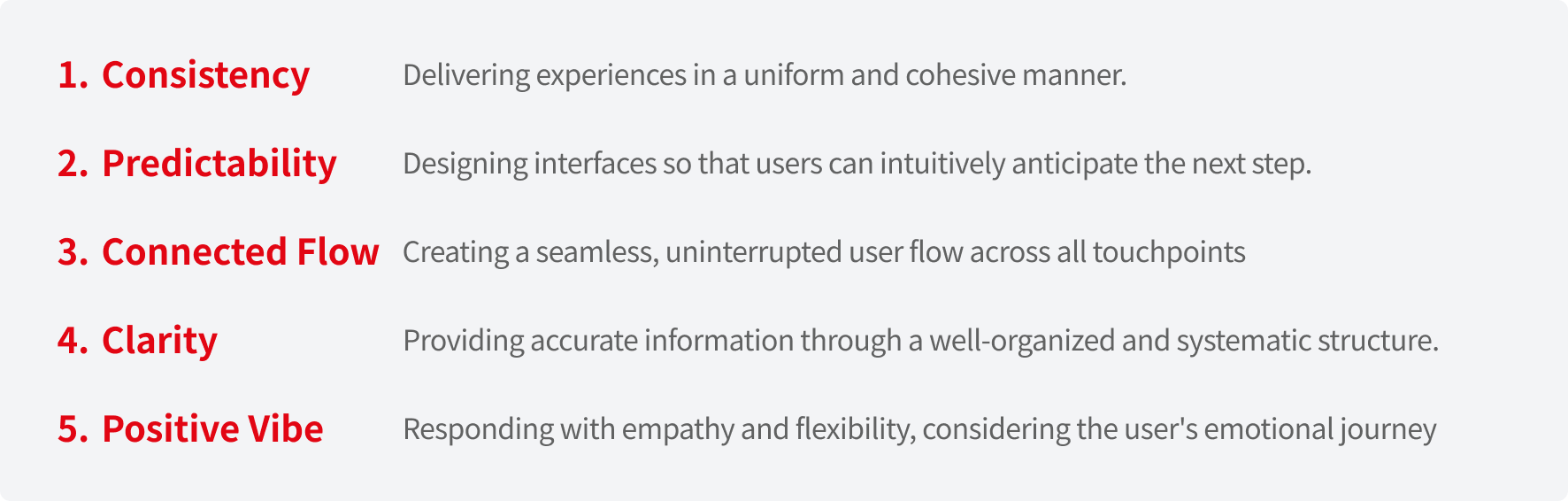
Derivation of KT’s 5 Core UX Principles
To ensure a seamless, universal experience for all our users, we have established five core UX principles.
Our development process involved a rigorous analysis of KT’s flagship services, benchmarking against global standards
—including Nielsen’s Heuristics and Google’s UX frameworks—and incorporating insights from internal Focus Group Interviews (FGI).
Through expert evaluations and collaborative workshops, we refined 16 initial criteria into the final 5 principles that define the KT experience.
02 System Design - Architecture
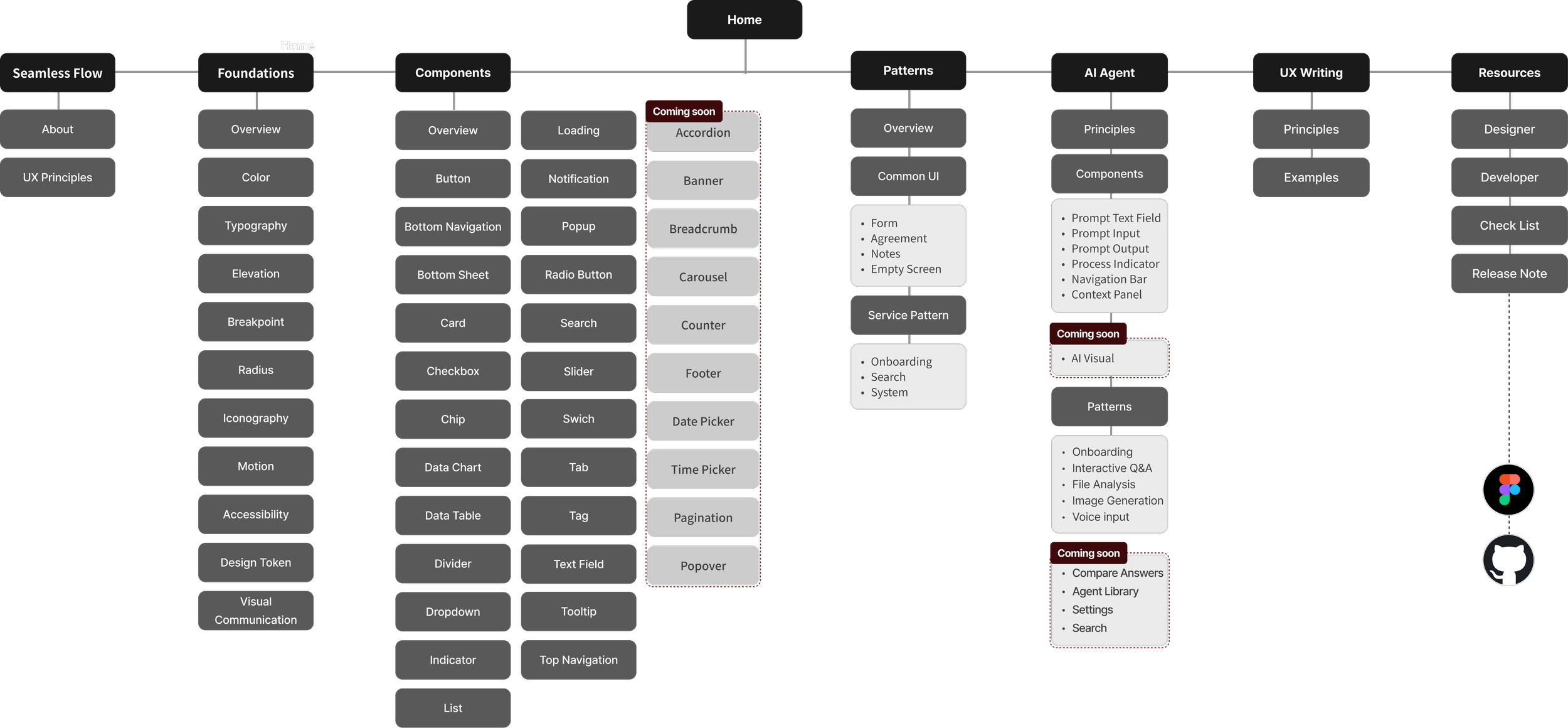
Development of KT Design System Architecture
Developed the Information Architecture (IA) for the KT Design System
by conducting a comprehensive analysis of our current component usage and benchmarking the structures of leading global design systems.
—including Nielsen’s Heuristics and Google’s UX frameworks—and incorporating insights from internal Focus Group Interviews (FGI).
Through expert evaluations and collaborative workshops, we refined 16 initial criteria into the final 5 principles that define the KT experience.
02 System Design -Components
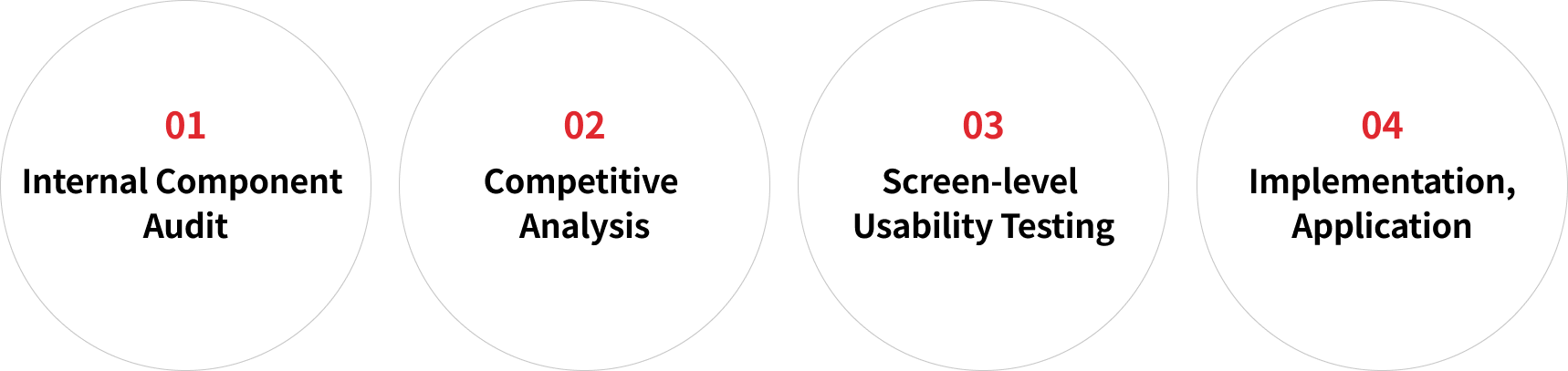
Component Creation Process
Performed a full-scale analysis of KT's top 5 consumer apps to evaluate their information architecture and
assess the current state of component implementation.
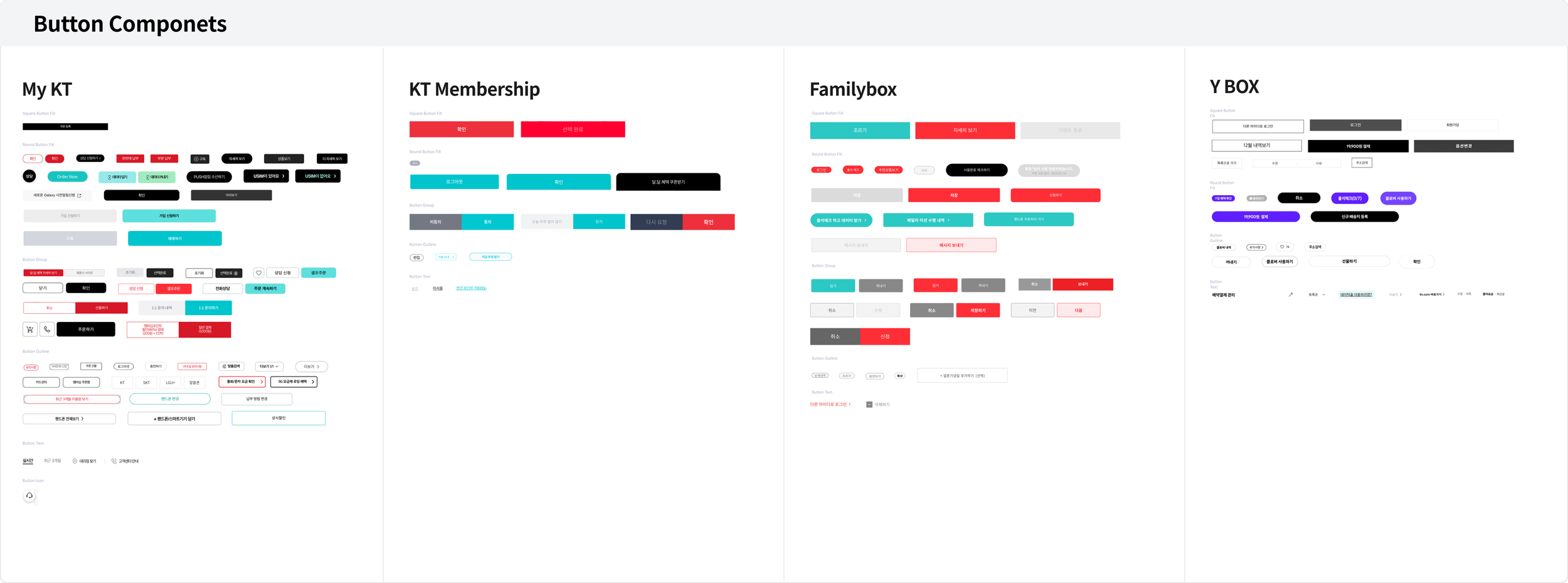
Analysis of Component usage patterns
02 System Design - Components
We performed a full-scale analysis of KT's top 5 consumer apps to evaluate their information architecture and
assess the current state of component implementation.
02 System Design - Components
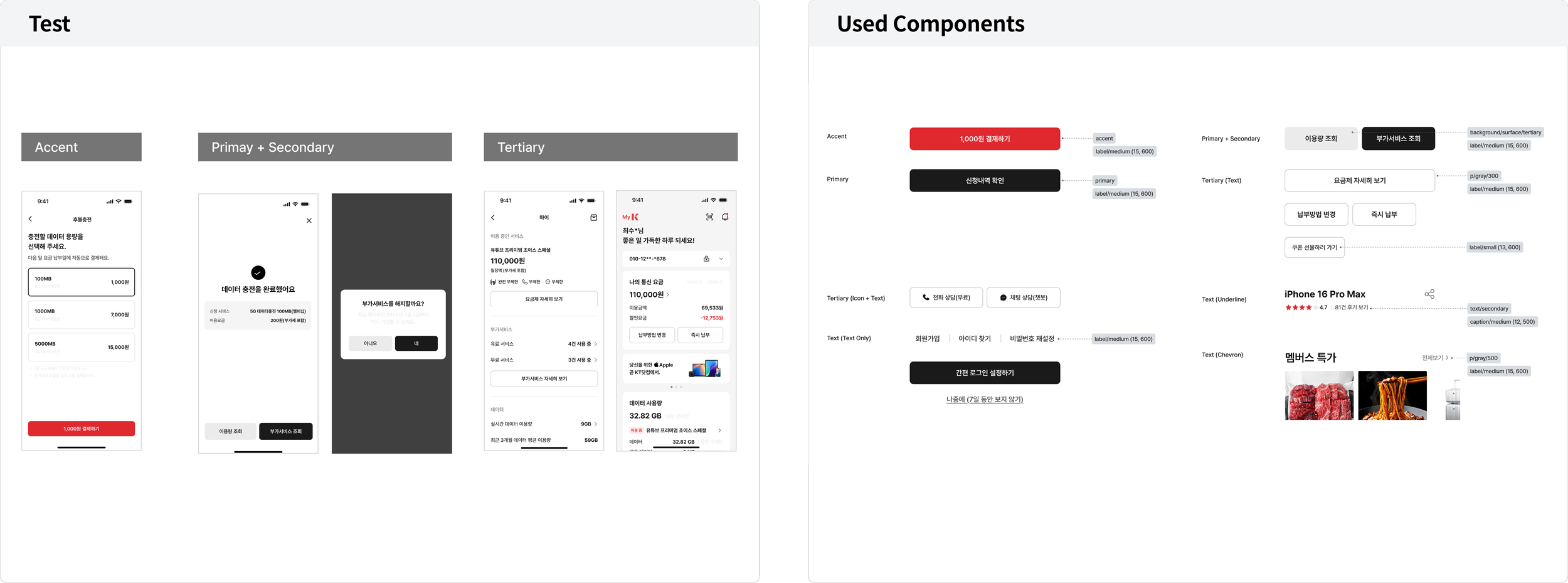
Screen-level Usability Testing
Representative screens were selected for each service and environment,
and components were developed and tested to ensure consistency and scalability.
02 System Design - Components
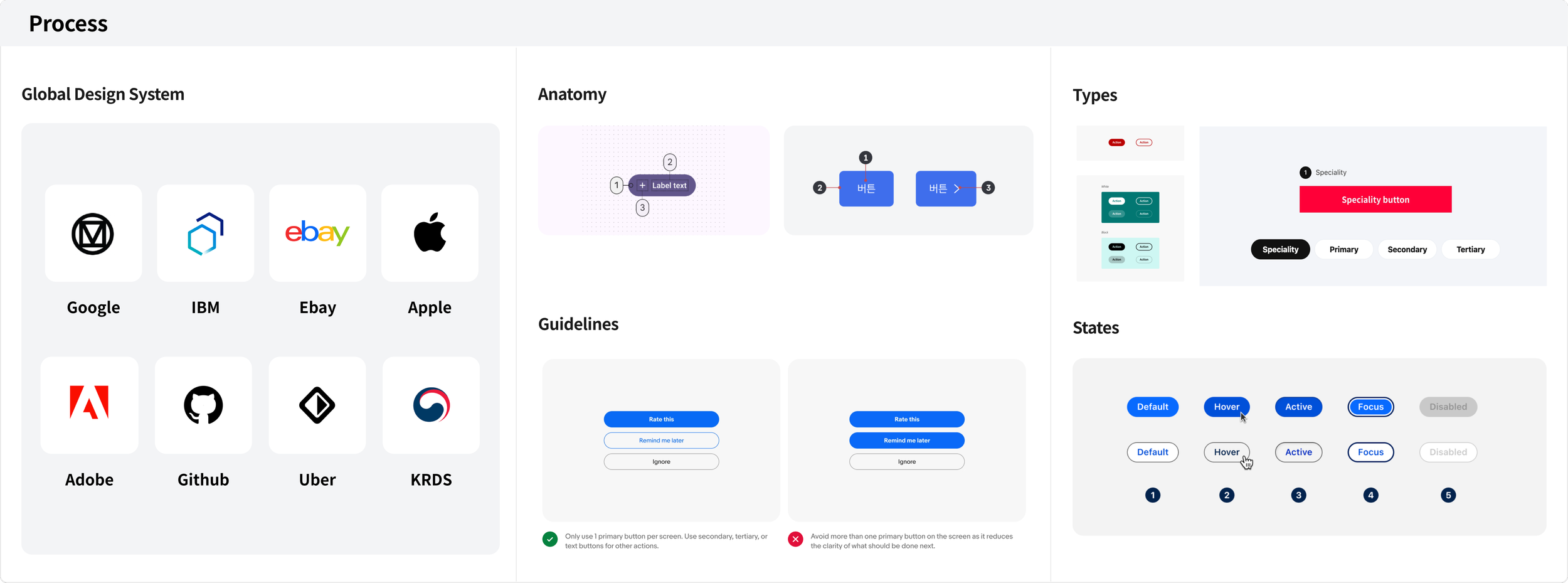
Competitive Component Analysis
After validating global standards such as accessibility and consistency, we analyzed common insights from industry-leading components
to identify improvement opportunities and establish design guidelines for our components.
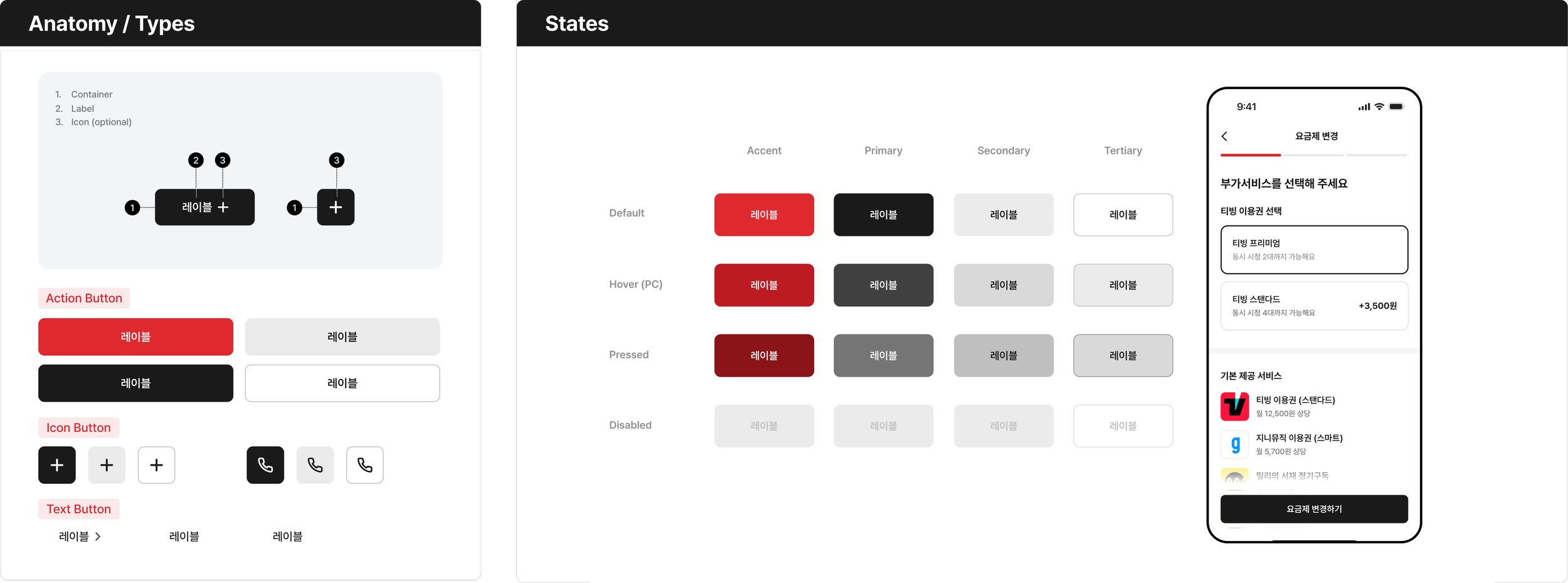
02 System Design - Components
Implementation & Application
Established a component architecture and designed production-ready components
for real service applications.
02 System Design - Components
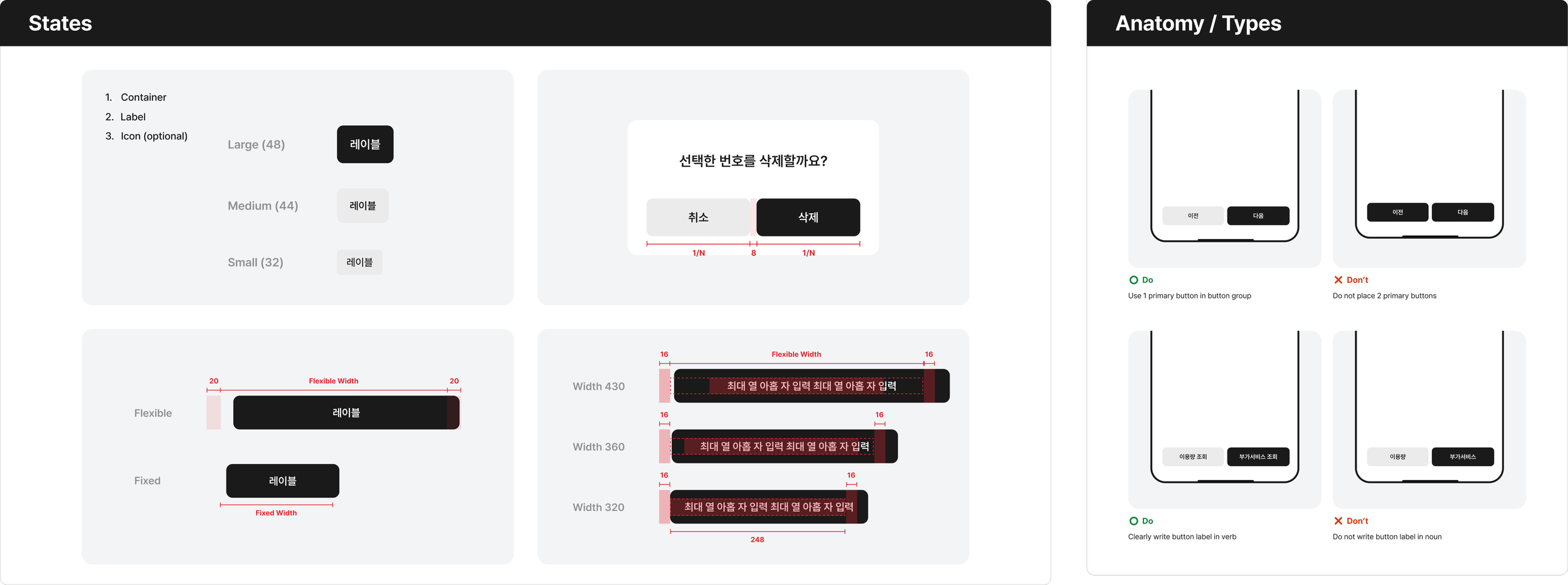
Implementation & Application
Established a component architecture and designed production-ready components
for real service applications.
02 System Design - Figma Kit
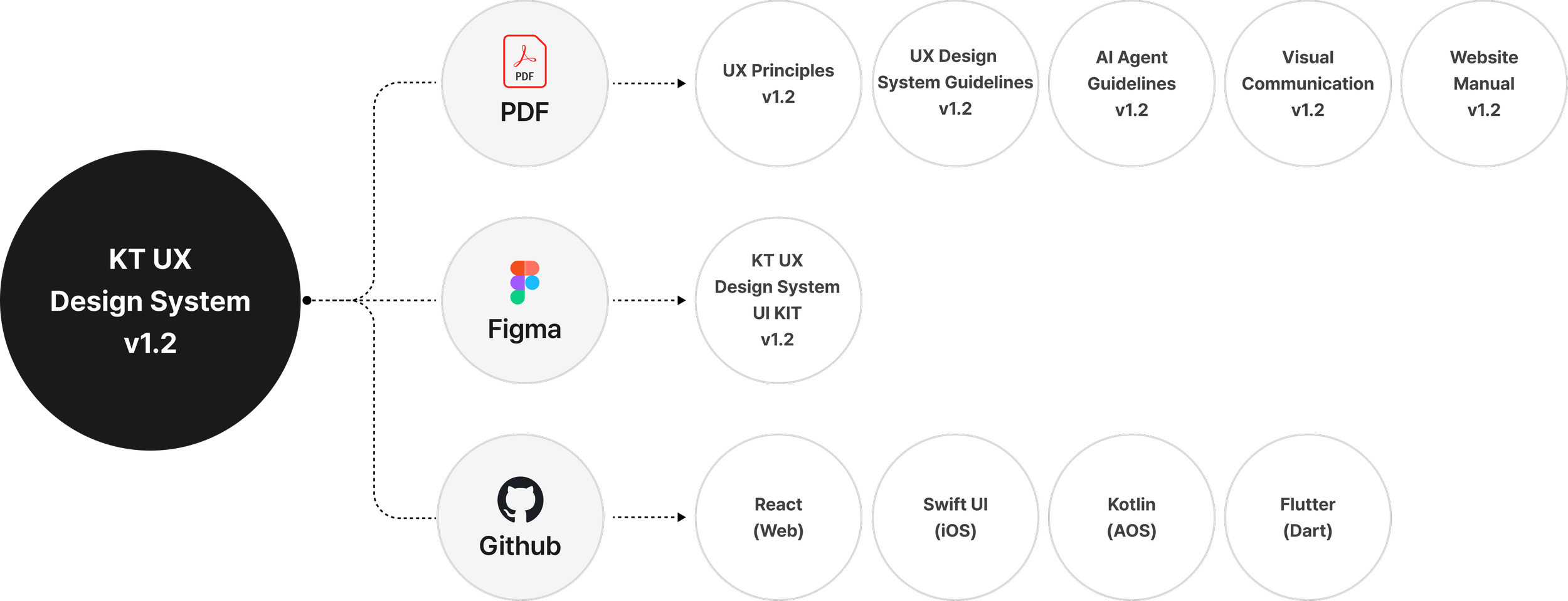
Execution
Established a component architecture and designed production-ready components
for real service applications.
02 System Design - Figma Kit
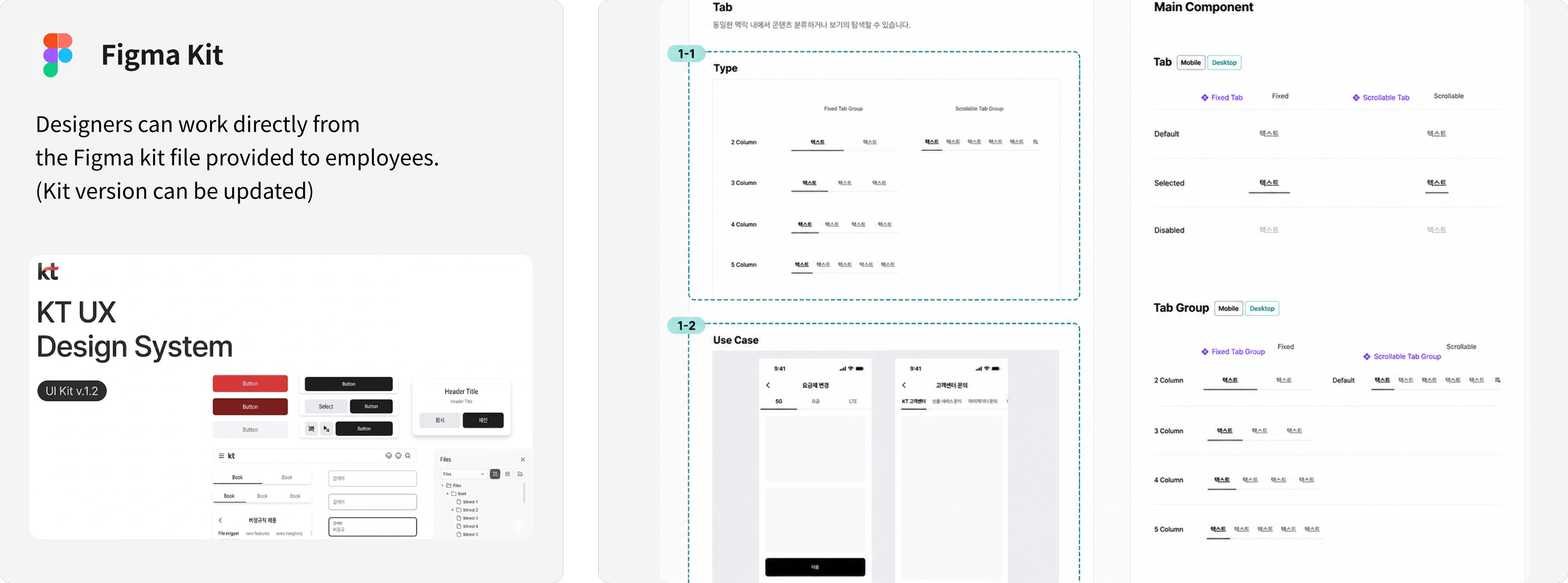
Implementation & Application
Developed and published components and component updates through the official Figma kit,
utilizing standardized templates to define core components, component types, and use cases.
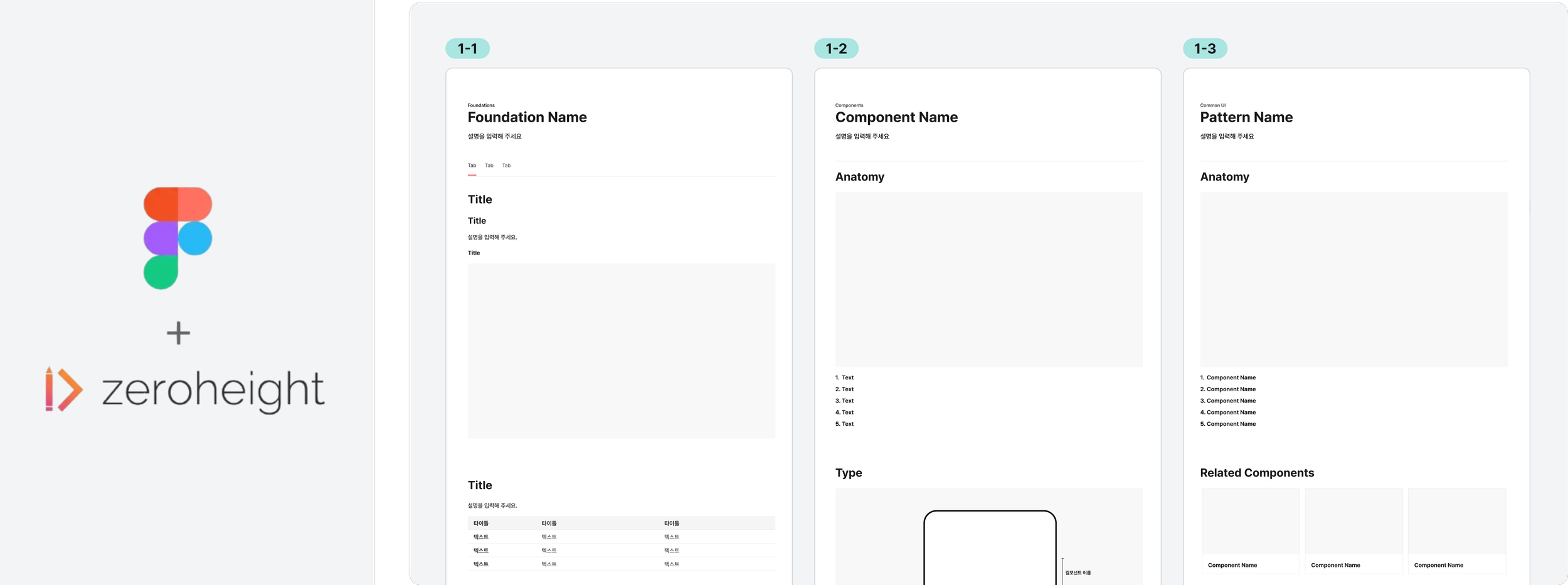
03 Governance & Rollout - Official Site
Website upload
Created Zeroheight documentation templates and shared them with stakeholders for review.
After approval, published the documentation to the official design system site through Zeroheight.
03 Governance & Rollout - Documentation
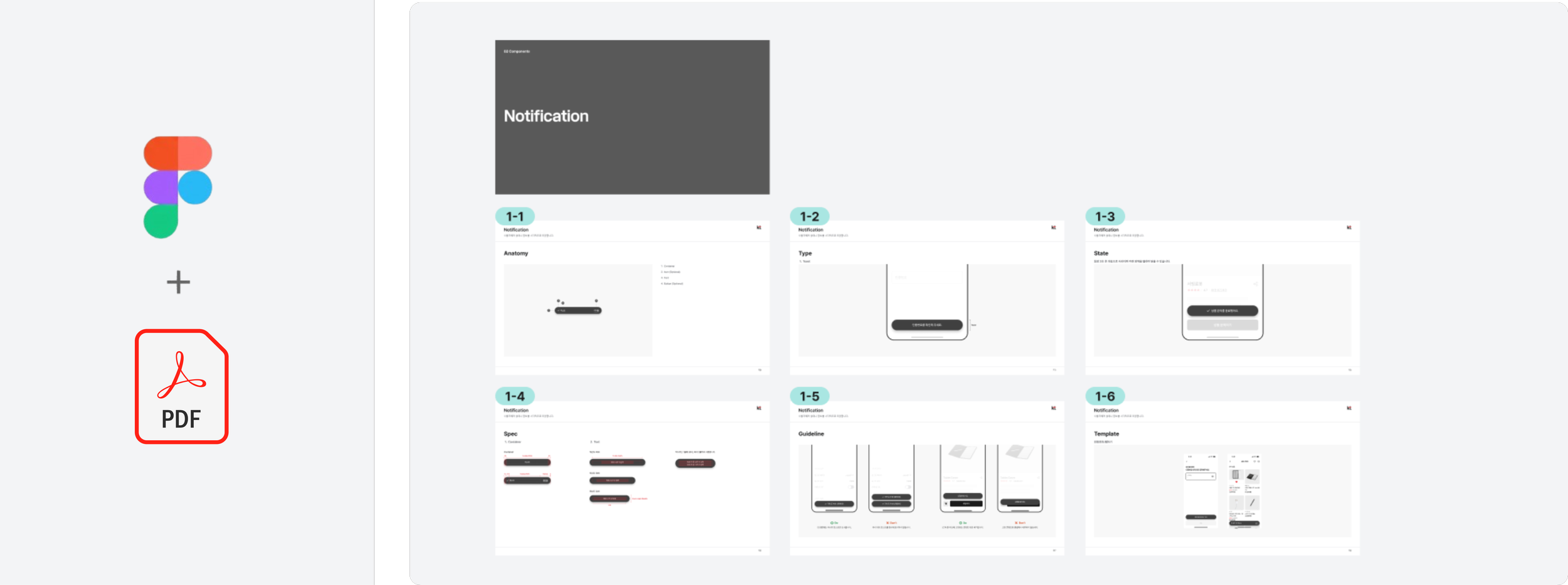
PDF Documentation
Create the PDF deliverable, share it across the company,
and upload it to the official website so that it is available for download and distribution.
03 Governance & Rollout - Training Materials
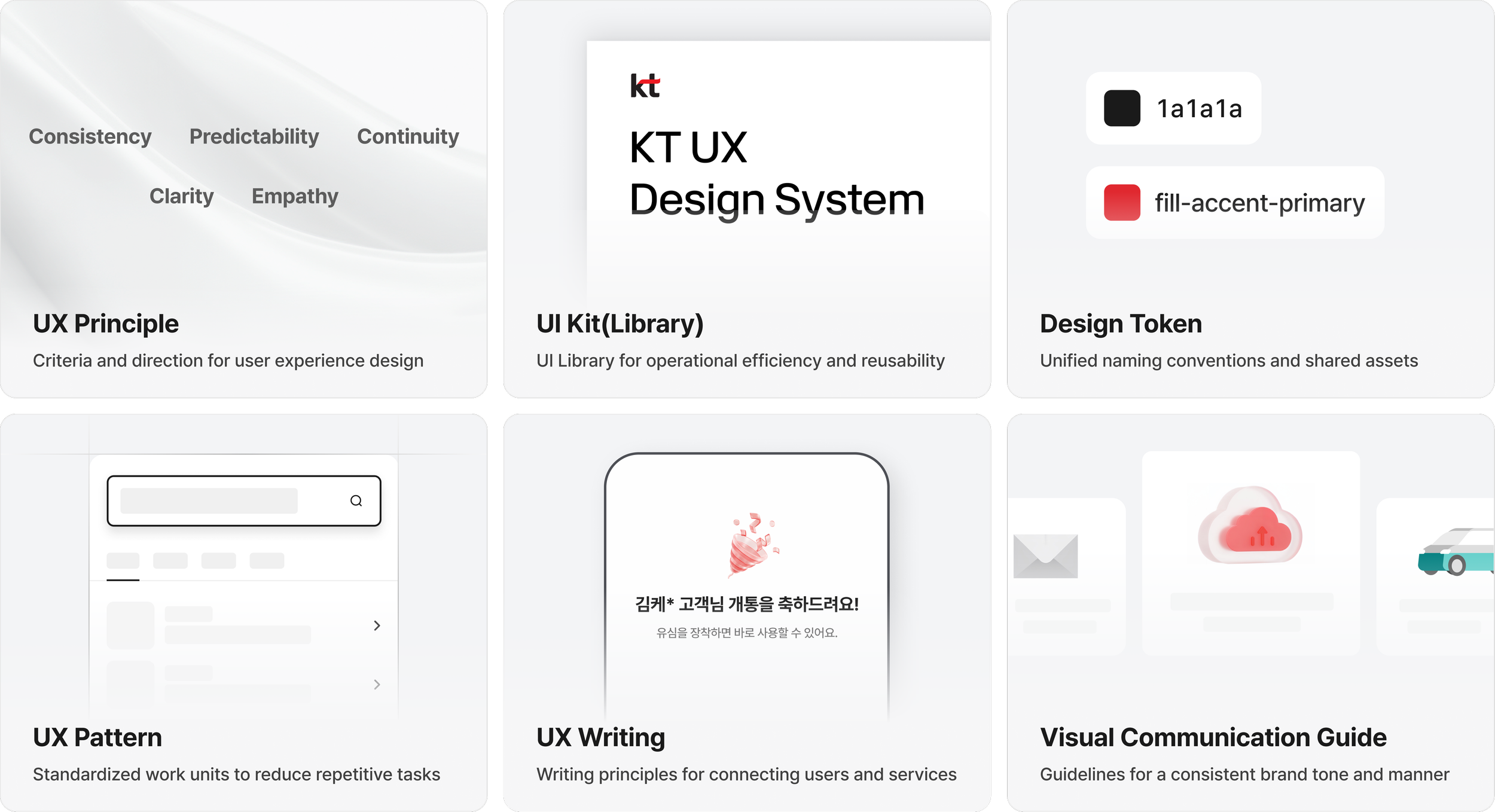
Training resources for staff
Developed a comprehensive training guide for all employees including designers and developers
that covers everything from the origin of our design system to practical usage instructions.
03 Governance & Rollout - Training Materials
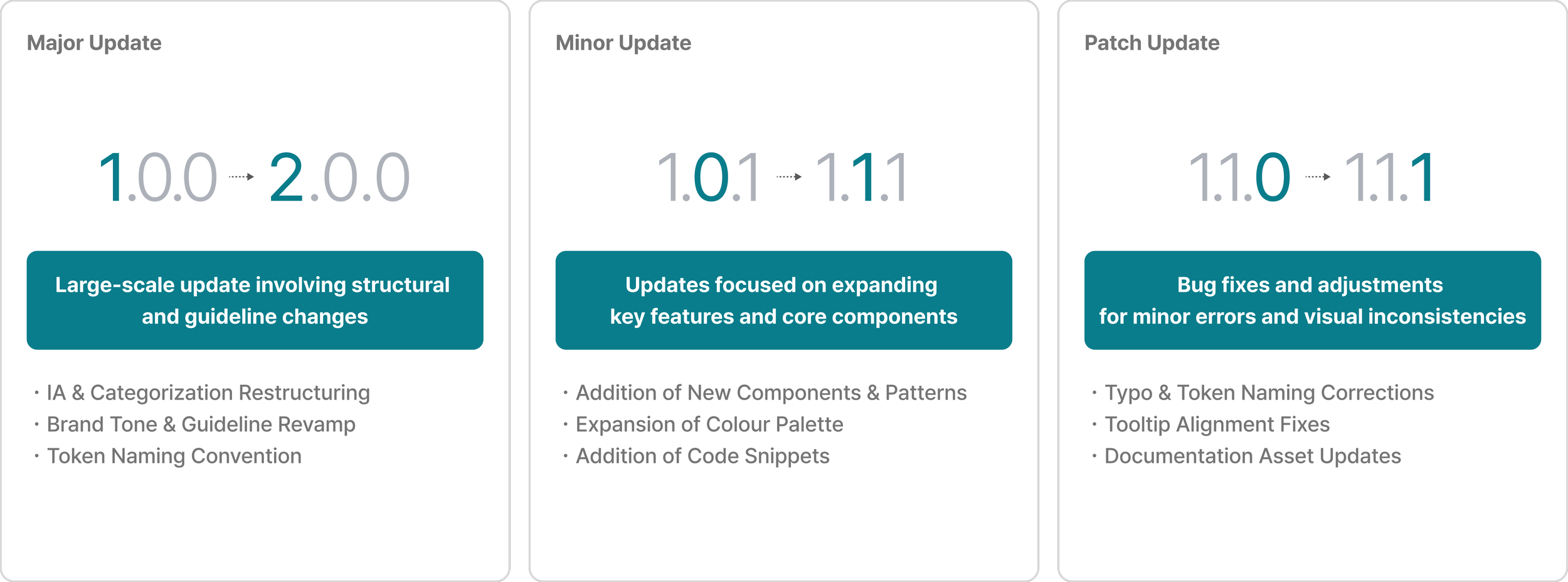
Operational Manual
Established guidelines for different types of zeroheight site updates and documented them
in an official manual to ensure clarity and minimize confusion among contributors.
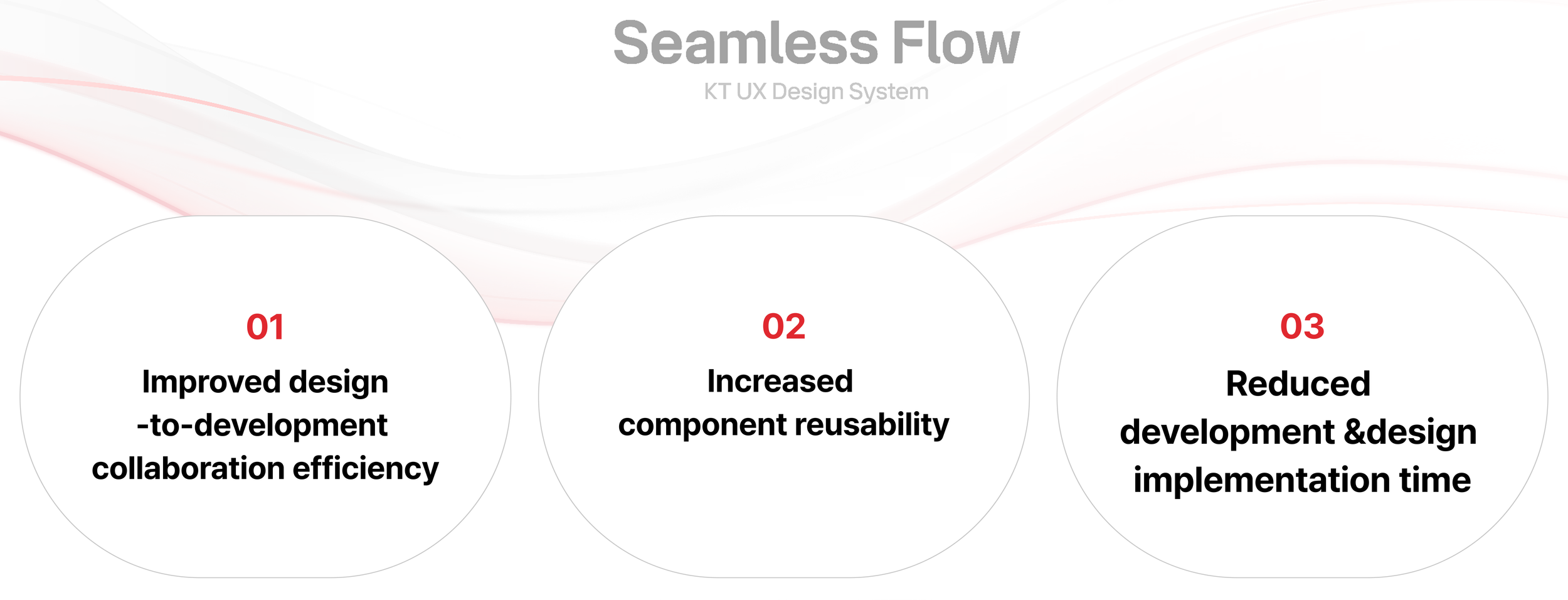
04 Impact - Operatinoal Impact
Operational Impact of Design System
04 Impact - Adoption & Expansion
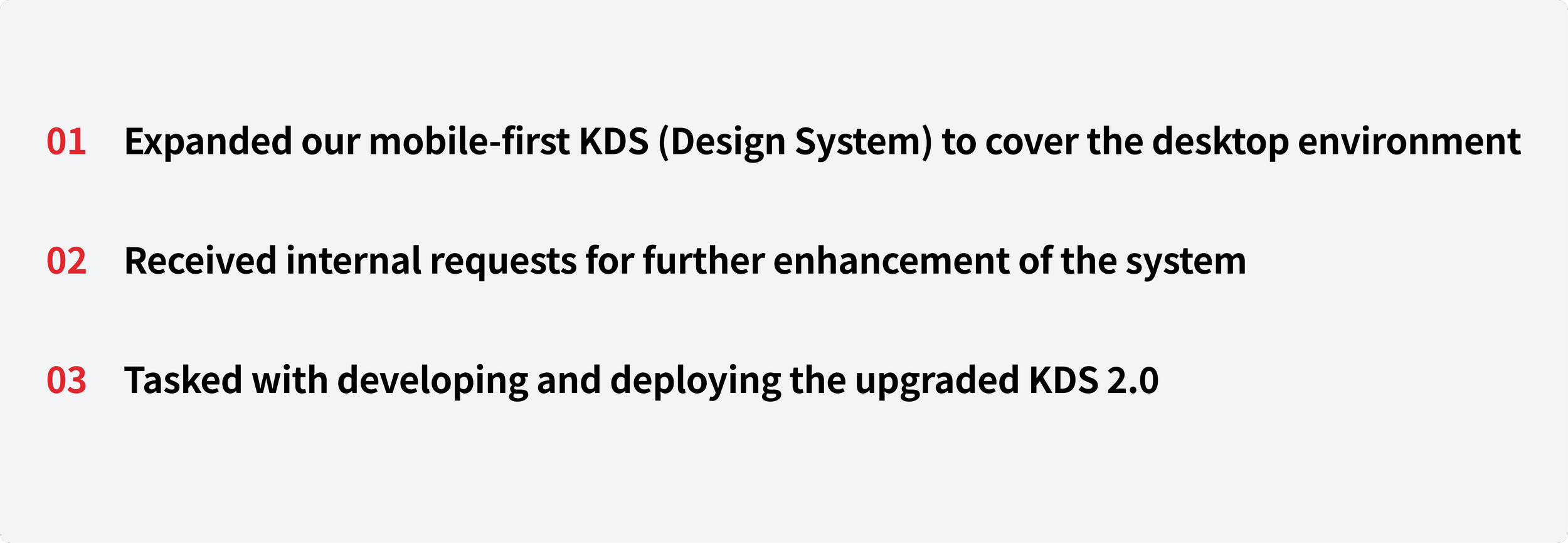
Expansion for the Next Step
Following the successful completion and implementation of KDS 1.0,
We have been commissioned to develop the next iteration, KDS 2.0,
with a primary focus on expanding the system to support desktop environments.
04 Impact - External Recognition
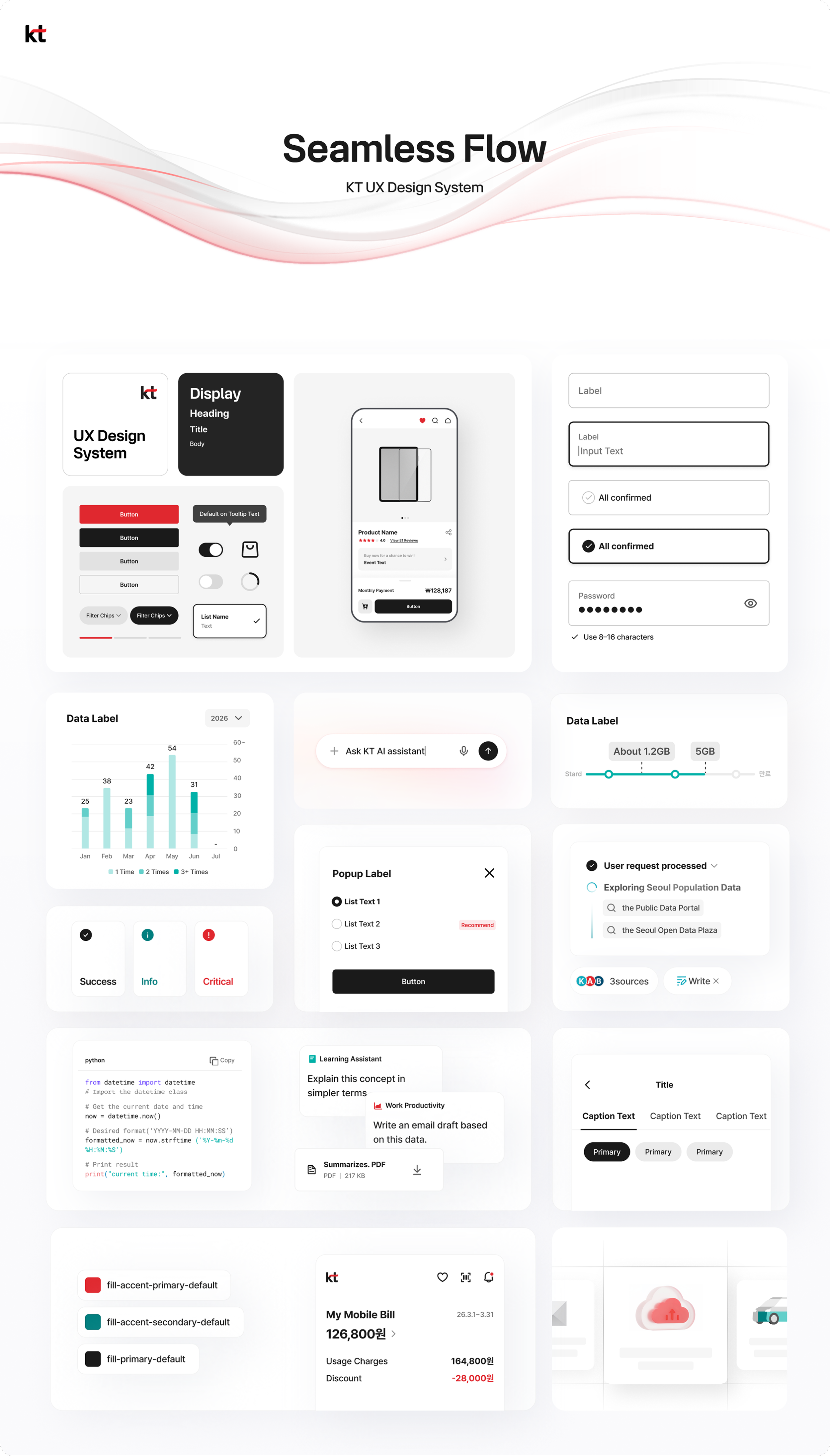
IF Design Awards

KT UX Design System
UX Design system for KT Corporate products
Since 1981, KT has provided services in telecommunications, media, finance, and lifestyle. The KT UX Design System unifies these diverse services into a single, consistent customer experience. By redefining fragmented UI rules, design methods, and brand assets, KT established a unified UX standard across the organization. Reflecting the brand’s values of Trust and Innovation for Convenience, the system embodies the slogan “Seamless Flow,” creating experiences that connect naturally and evolve continuously toward a cohesive, future-ready journey.
05 Appendix - CTO & Executive Report
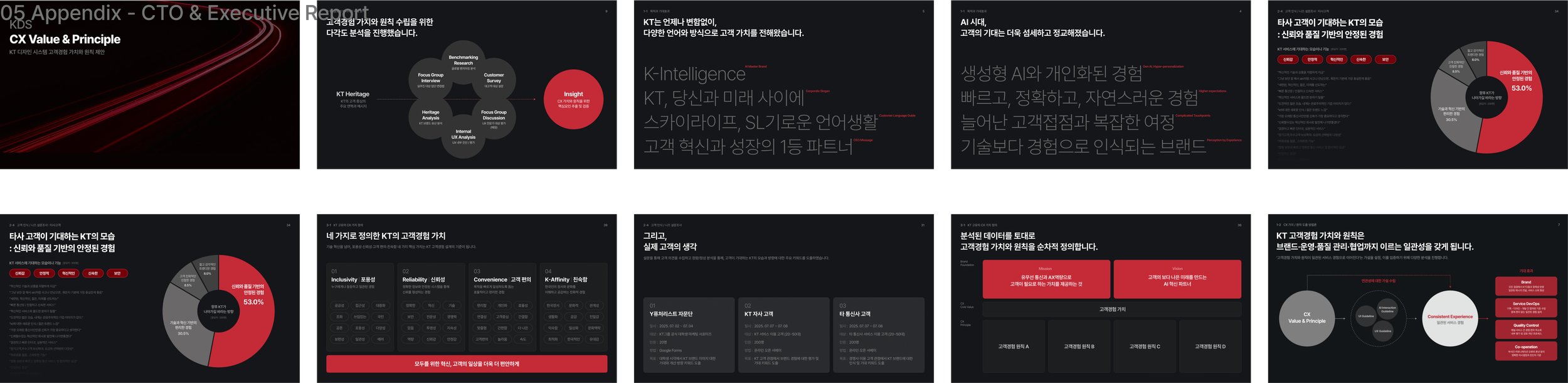
CTO & Executive Report
05 Appendix - Guide Sample
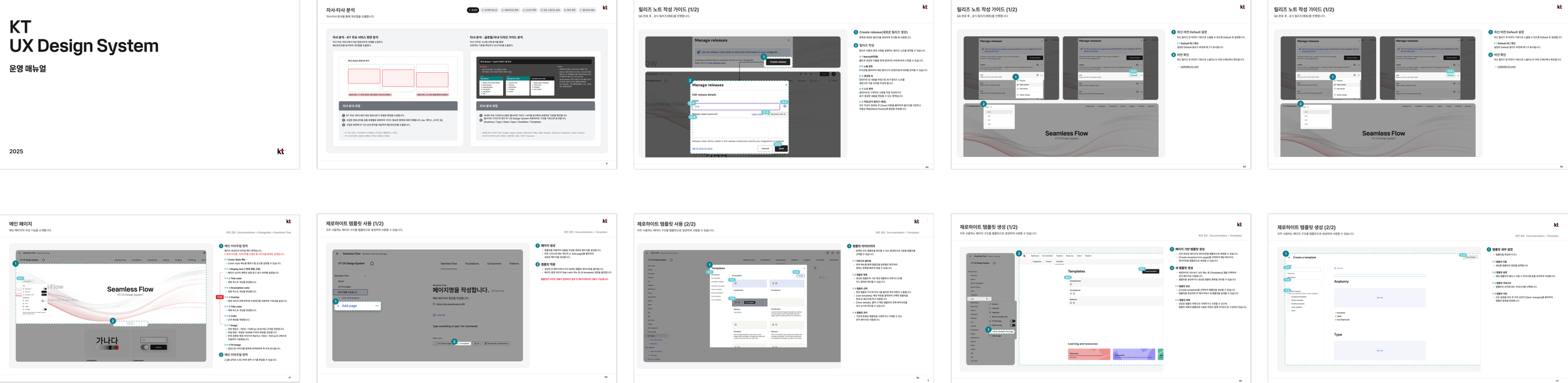
Documentations
05 Appendix - Training Deck
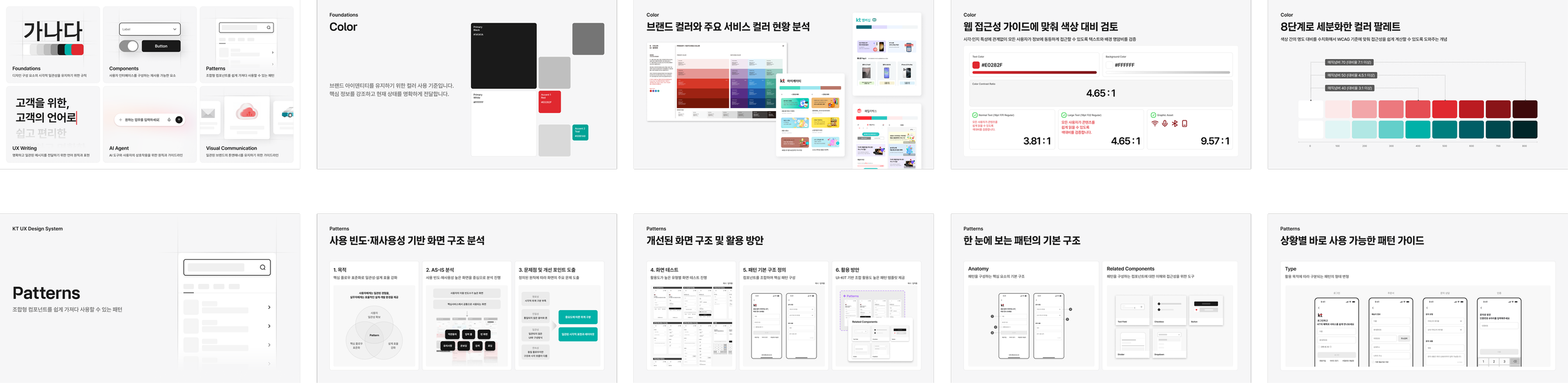
Documentations
Addition
Reflection
"Working on the KT Design System (KDS) was a challenging yet incredibly rewarding journey. Being involved in the project from inception to completion allowed me to gain a comprehensive overview of end-to-end UX/UI design. As a junior designer, this was an invaluable opportunity to participate in every phase, including initial research, competitive benchmarking, and component development.
While external partners handled writing and visual communication, our team focused on component creation and documentation. By developing various resources, such as CTO reports, operational manuals, and employee training materials, I was able to deeply reflect on the design system lifecycle. This process taught me how to create accessible, clear documentation that anyone can easily understand.
Although I regret not having more exposure to foundation token development due to the project's scale and division of labor, I successfully internalized the core design system process—from competitive analysis and testing to production and delivery. I now fully grasp how to execute large-scale UX/UI projects.
Building on the lessons from KDS 1.0, I am currently leading the development of KDS 2.0, with a focus on desktop enhancement, and I look forward to delivering even better results.”